

TL;DR
All three 2026 Capterra badge deadlines have now passed (September 30, December 31, and March 31). Reviews submitted after March 31, 2026 will count toward the next badge cycle — but no 2027 schedule has been published yet. With G2's acquisition of Capterra now closed, the next cycle's timing and rules are uncertain. Start collecting reviews now so you're ready whenever the next cycle is announced. Aim for 20 reviews with 4.5+ ratings on Ease of Use, Value for Money, and Customer Support.
Why Capterra Badges and Awards Matter for SaaS Companies
Badges and awards are trust signals that affect how buyers find SaaS products. When someone is comparing five similar tools on Capterra, the one with a "Best Ease of Use 2026" award stands out. It's third-party validation — not you saying you're good, but Capterra confirming you earned a spot in the top 25%.
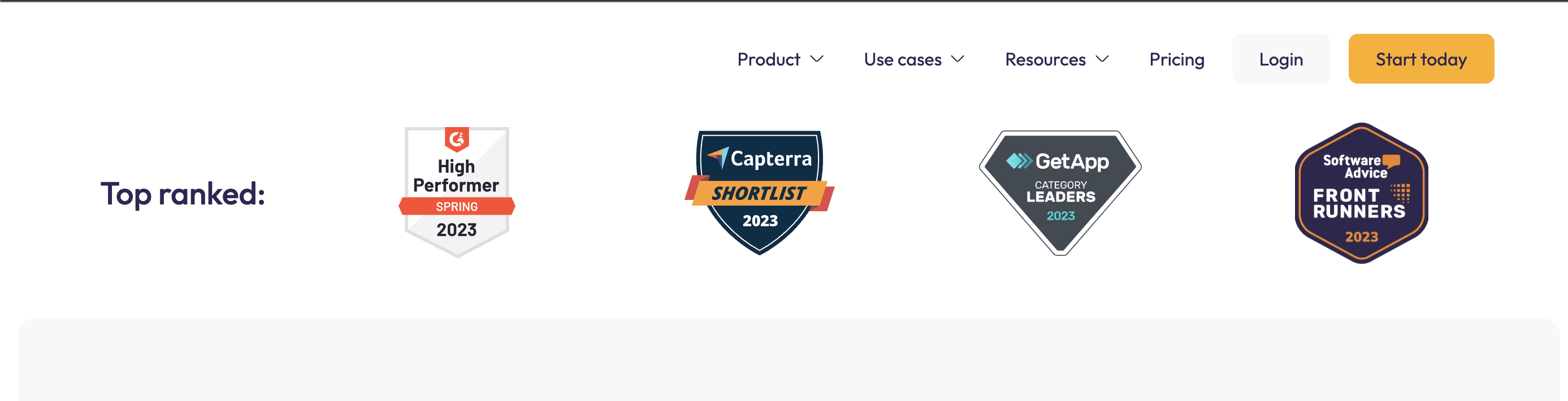
Where badges help your visibility posture:
- On Capterra — Badge holders appear more credible in search results and software comparison pages
- On your website — You can embed badge graphics as social proof
- In sales materials — Decks, emails, proposals — anywhere you need quick credibility
- In AI search results — AI systems increasingly use third-party data signals when recommending software; badges indicate quality. (See how directories feed AI and SEO.)
Badges won't transform your business overnight. But in competitive categories where buyers are researching software, they're one more reason to choose you over the alternative. (For more on why directories matter, see What Are Software Directories?)
How to Get Capterra Badges in 2026
All three 2026 badge cutoffs have now passed. No 2027 schedule has been announced — the program's future depends on how G2 integrates Capterra's badge system after the February 2026 acquisition.
What to do now:
- Keep collecting reviews — reviews submitted now will count toward the next cycle whenever it's announced
- Aim for 20+ verified reviews from real customers
- Ask reviewers to rate specific attributes — Ease of Use, Value for Money, Customer Support
- Target 4.5+ average ratings on those attributes
Building your review base now means you'll be ready for the next badge cycle, whether it follows the same Capterra methodology or a new G2-integrated program.
Why We Wrote This Guide
Capterra has badge requirements spread across eight different pages on two different websites. And they don't all say the same thing.
One page says 10 reviews. Another says 20. One says 12 months. Another says 24. Some pages have no publication date, so you can't tell if you're reading current methodology or something from 2023.
We cross-referenced every official source. The table at the end catalogs all of them — which ones have dates, which ones conflict, and which ones you should trust.
A note on Capterra's family: This guide focuses on Capterra listing optimization. Capterra, GetApp, and Software Advice are sister platforms that share the same review database — one review on Capterra automatically appears on the other two. All three are now owned by G2 (acquired from Gartner in February 2026). The badge programs are similar but not identical across platforms. We'll note the differences where they matter.
UPDATE: G2 Acquisition: G2's acquisition of Capterra, GetApp, and Software Advice from Gartner Digital Markets appears to have closed as of February 5, 2026. Badge programs, review policies, and platform features may change as a result of this transition. We'll continue monitoring and updating this guide as details emerge. For now, all information below remains current and accurate. (For G2's badge program, see our G2 badges guide.)
The Three Capterra Badge Types (Awards)
Capterra and its sister platforms offer three types of badges (sometimes called awards or recognition programs):
| Badge Type | What It Shows | Key Requirement | When You Get It |
|---|---|---|---|
| Star Rating Badge | Your average star rating (e.g., "4.6 stars") | 5+ reviews (all time) | Automatic once you qualify |
| "Best of" Badge | Annual award for specific attributes | 10 reviews in 12 months, 4.5+ rating, top 25% | Annual — you're notified if you win |
| Shortlist Badge | You made the Capterra Shortlist report | 20 reviews in 24 months + U.S. presence | Annual — you're notified if you qualify |
There's also "Best Product Lists." These aren't badges — you can't download or display them. They're labels on Capterra's category pages ("Highest Rated," "Highly Rated for Ease of Use"). They affect how buyers discover your software on Capterra, but you can't use them in your own marketing. We cover them separately.
Badge Type 1: Star Rating Badges
What It Is
The simplest badge. It displays your current average star rating across all reviews. Each platform (Capterra, GetApp, Software Advice) has its own version.
Requirements
| Requirement | Details |
|---|---|
| Minimum reviews | 5 published reviews (all time) |
| Rating shown | Average across all your reviews |
| Updates | Automatically as new reviews come in |
Why It Matters
This is basic social proof for B2B software discovery. Even if you don't qualify for competitive badges, you can display your star rating once you have 5 reviews.
Source: GDM How to Get Badges (Published December 19, 2025)
Badge Type 2: "Best of" Badges
What It Is
Annual awards recognizing products with the highest ratings on specific attributes. These are competitive — awarded to the top 25% of products that meet the minimum threshold.
On Capterra:
- Best Ease of Use
- Best Value
On Software Advice:
- Best Customer Support
- Most Recommended
(Same methodology, different badges per platform. Your reviews count toward both since they share a database.)
Requirements
| Requirement | Details |
|---|---|
| Minimum reviews | 10 published reviews rating the specific attribute |
| Review window | 12 months prior to the cutoff date |
| Minimum rating | 4.5 out of 5 average on that attribute |
| Selection | Top 25% of products meeting the 4.5 threshold |
| Category fit | Confirmed as relevant by Capterra's research analysts |
| Category minimum | Category must have at least 10 qualifying products |
Understanding Cutoff Dates
What's a cutoff date? The deadline for reviews to count toward a specific badge cycle. Reviews published after the cutoff count toward next cycle, not this one.
The cutoff varies by category. Categories are grouped, and each group has its own cutoff:
| Badge Publication | Review Cutoff | Example Categories | Status |
|---|---|---|---|
| January 2026 | September 30, 2025 | CRM, Help Desk, HR, Email Marketing, Project Management | ❌ Too late for 2026 |
| April 2026 | December 31, 2025 | Grant Management, Construction Payroll, Chiropractic | ❌ Too late for 2026 |
| July 2026 | March 31, 2026 | Marketing Automation, eCommerce, AI, Cybersecurity | ❌ Cutoff passed |
Your product might be listed in multiple categories with different cutoffs. All three groups have now passed their 2026 deadlines. Check which categories you're in so you know when your reviews were last evaluated.
Why You Might Not Get a Badge
From the official FAQ:
- Not enough reviews in the 12-month window (minimum 10)
- Average rating below 4.5 on the relevant attribute
- Not in the top 25% of qualifying products
- Category doesn't have at least 10 qualifying products
If your listing was rejected or you're having issues, see our Capterra rejection and appeal guide.
Sources:
- GDM How to Get Badges (December 19, 2025)
- Gartner "Best of" Badge Methodology
- GDM Reports and Badges FAQs (May 15, 2024)
Badge Type 3: Capterra Shortlist Badges
What It Is
The Capterra Shortlist is a research report — a scatter plot ranking products by Ratings (x-axis) and Popularity (y-axis). When you qualify for the Capterra Shortlist report, you also earn the Shortlist badge.

Software Advice has an equivalent called "FrontRunners" with the same requirements.
Requirements
| Requirement | Details |
|---|---|
| Minimum reviews | 20 unique verified reviews |
| Review window | 24 months prior to the cutoff date |
| U.S. presence | Must serve U.S. users (demonstrated through U.S.-based reviews or public info) |
| Industry reviews | At least 5 reviews from users in the relevant industry |
| Cross-industry relevance | Product must serve multiple industries (not ultra-niche) |
| Minimum scores | Must hit minimum thresholds for both Ratings and Popularity (not publicly disclosed) |
A note on "industry" vs. "category": When reviewers submit reviews, they select their industry (Healthcare, Finance, Construction). This is different from software category (CRM, Help Desk). "5 reviews in the concerned industry" means you need reviews from people in the industries your software serves. "Cross-industry relevance" means your product can't only serve one industry.
How the Capterra Shortlist Scoring Works
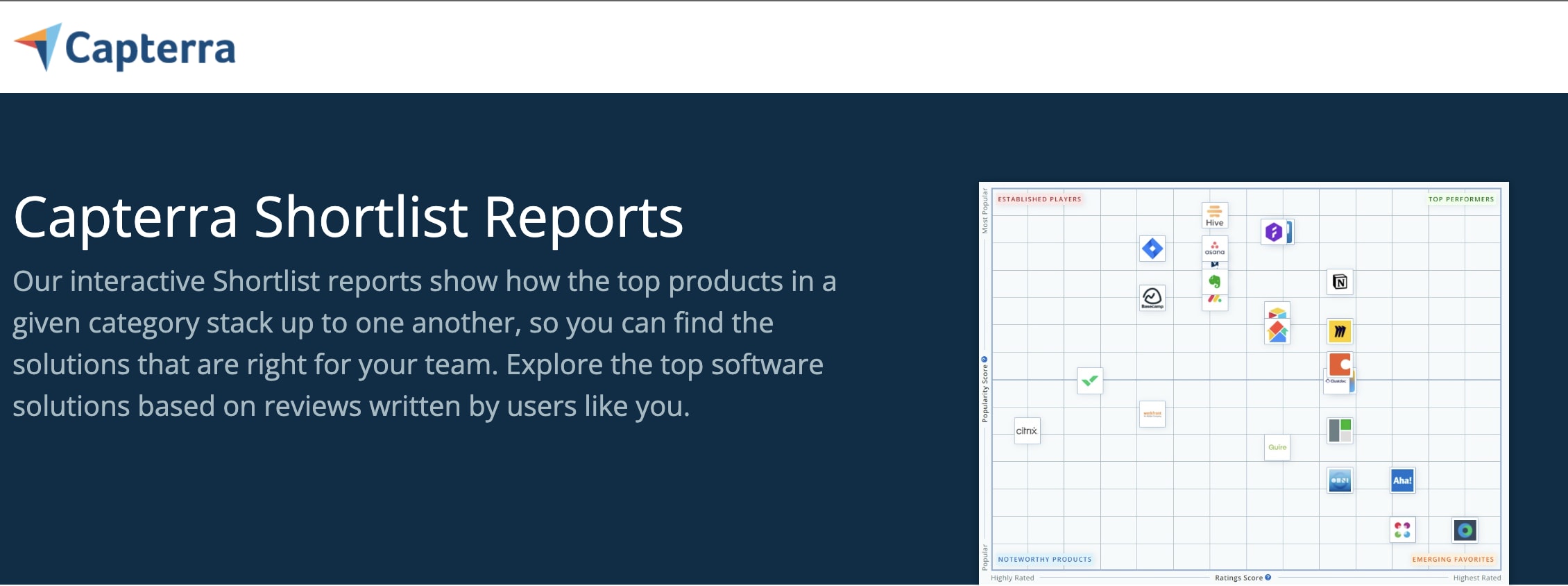
Ratings Score (X-axis):
- Based on overall user ratings from reviews in the past 24 months
- Normalized for recency and volume of reviews
Popularity Score (Y-axis):
- Average monthly search volume for your product keywords
- Your domain's position on search results for each keyword
- Number and recency of reviews
Each score is scaled to a maximum of 50.
Badge Timeline
Shortlist badges follow the same publication schedule as "Best of" badges:
| Publication | Review Cutoff |
|---|---|
| January 2026 | September 30, 2025 |
| April 2026 | December 31, 2025 |
| July 2026 | March 31, 2026 |
Watch Out for Outdated Information
The page at insights.capterra.com/shortlist-reports shows "10 unique user reviews" and "12 month analysis period." This describes the interactive Shortlist report tool eligibility, not badge eligibility.
For badge eligibility, the current methodology (January 2026) requires 20 reviews in 24 months.
Source: Capterra Proprietary Data & Research Methodologies (Updated June 24, 2025) — methodology version "January 2026 - present"
Best Product Lists (Not Badges)
What They Are
These aren't badges you can download. They're featured labels on Capterra's category pages: "Highest Rated," "Highly Rated for Ease of Use," "Highly Rated & Affordable." Each list features 5-10 products.
These affect how buyers find SaaS products on Capterra, even if you can't use them in your own marketing.
Requirements
| Requirement | Details |
|---|---|
| Prerequisite | Must be on the most recent Capterra Shortlist |
| Review window | 24 months (same as Shortlist) |
| Minimum rating | 4.0 out of 5 (lower than "Best of" badges' 4.5) |
| Minimum reviews | 10 reviews rating the specific attribute |
Types of Distinctions
- Highest Rated — Best overall rating (products receiving this can't get other distinctions)
- Highest Rated for [sub-sector] — For products serving a specific market segment
- Highly Rated & Free — Highest rating among products with free version/trial
- Highly Rated & Affordable — Lowest starting price among eligible products
- Highly Rated for [Attribute] — Based on Ease of Use, Value for Money, Customer Support, or Functionality ratings
How It Differs from "Best of" Badges
| Criteria | "Best of" Badges | Best Product Lists |
|---|---|---|
| Shortlist required? | No | Yes |
| Review window | 12 months | 24 months |
| Minimum rating | 4.5 | 4.0 |
| Selection method | Top 25% | Products with most reviews prioritized |
| Can you display it? | Yes (badge graphic) | No (on-site label only) |
Source: Capterra Proprietary Data & Research Methodologies — "Best Product Lists" methodology "March 2025 - present"
The 2026 Badge Publication Schedule
This schedule applies to both "Best of" badges and Capterra Shortlist badges.
Group 1: January 2026 Publication
Review Cutoff: September 30, 2025 (already passed)
Accounting, LMS, CRM, Project Management, HR, Help Desk, Email Marketing, Scheduling, Onboarding, Recruiting, Document Management, Time Tracking, Payroll, and 60+ more categories.
Group 2: April 2026 Publication
Review Cutoff: December 31, 2025 (already passed)
Service Dispatch, Grant Management, Construction Payroll, Chiropractic, Fixed Asset, Hotel Management, Medical Spa, and 35+ more categories.
Group 3: July 2026 Publication
Review Cutoff: March 31, 2026 (cutoff passed)
Password Management, Marketing Automation, eCommerce, Cybersecurity, Business Intelligence, AI, Live Chat, Data Management, Nonprofit, and 35+ more categories.
Source: GDM Badge Publication Schedule 2026 (Published January 23, 2026)
Quick Reference: The Numbers
Star Rating Badge
- 5+ reviews (all time)
- Automatic
"Best of" Badges
- 10 reviews in 12 months on the specific attribute
- 4.5+ average rating on that attribute
- Top 25% of qualified products
- Cutoff varies by category
Capterra Shortlist Badge
- 20 reviews in 24 months
- U.S. market presence
- 5+ reviews from relevant industry
- Cutoff varies by category
Best Product Lists (not badges)
- Must be on Shortlist first
- 10 reviews rating the attribute
- 4.0+ average (lower than badges)
Cross-Platform Visibility
Reviews on Capterra automatically appear on GetApp and Software Advice. From the official FAQ:
"All reviews are combined across the three sites, measured equally, and pulled from a single global database for the Gartner Digital Markets platform."
One review collection effort improves your third-party visibility across three platforms.
What Changed in 2026
- GetApp Category Leaders discontinued — No longer offered
- Shortlist minimum reduced — From 10 to 5 products per category (more niche categories now eligible)
- Publication schedule formalized — Categories grouped with specific cutoffs instead of one annual cycle
- Earlier cutoffs than expected — Many major categories used September 30, 2025 cutoff for January 2026 badges
Step-by-Step: Optimizing Your Capterra Listing for Badges
Step 1: Find Your Category's Deadline
Check the GDM Badge Publication Schedule 2026 to see which group your category was in. All three 2026 cutoffs have now passed. No 2027 schedule has been published — start building your review base now so you're ready when the next cycle is announced.
Step 2: Check Your Current Position
Log into your Capterra vendor account and check:
- Total review count
- Reviews from past 12 months (for "Best of")
- Reviews from past 24 months (for Shortlist)
- Ratings by attribute
Step 3: Set Your Target
Tier 1 — Star Rating Badge:
- Need: 5 reviews total
- Timeline: 1-2 weeks of active collection
Tier 2 — Shortlist eligibility:
- Need: 20 reviews in 24 months
- Timeline: 2-6 months depending on starting point
Tier 3 — "Best of" Badges:
- Need: 10 reviews in 12 months with 4.5+ on specific attributes
- Timeline: Requires consistent high-quality reviews
Step 4: Collect Reviews
Running a review campaign takes some coordination. Here's who can leave reviews and how to ask. (For the full rules, see our G2 and Capterra Reviews guide.)
Who can review:
- Current users with direct product experience
- Past users (within the past year)
- Free trial users
- Employees at customer companies who use the product
Best practices:
- Request reviews after positive interactions
- Use direct links to your Capterra review form (if you manage your Capterra listing with Blastra, you can grab your reviews link from your Blastpad)
- Never condition requests on positive reviews — incentivized reviews violate platform guidelines
- Respond to all reviews (it's free)
Related Guides
- G2 and Capterra: Vendor Guide After the Acquisition — How to navigate two cabinets and pick where to focus reviews after G2 bought Capterra/GetApp/Software Advice
- G2 vs Capterra Vendor Pricing Compared — Feature-by-feature breakdown of what's free and what costs money on each platform
- How G2 Badges Work — G2 badges require paid subscriptions ($2,999+/year) to display
- G2 Summer 2026 Reports: What the Numbers Mean for Vendors — The latest quarterly Grid results and category shifts
- Alternatives to G2 for B2B SaaS — Platforms beyond G2 Digital Markets with free badge display and separate buyer audiences
- How to Get G2 and Capterra Reviews — Best practices for review collection campaigns
- Safe B2B SaaS Review Collection — Cross-platform incentive rules and the FTC's Fake Reviews Rule
- How to Improve Your G2 Grid Position — Understanding G2's ranking algorithm and scoring factors
- How SourceForge Badges Work — Percentile-based awards: top 5% for Leader, top 10% for Top Performer
- Trustpilot Guide: How TrustScore Recognition Works — B2B SaaS guide to Trustpilot's recognition program
- How SoftwareReviews Awards Work — Data Quadrant + Emotional Footprint, 130-data-point surveys, free badge display
- SaaS Review Strategy: How to Stand Out — Turn reviews into competitive advantage
Source Documentation
We reviewed every official source. Here's what to trust:
Primary Sources (Dated, Reliable)
| Source | Date | Notes |
|---|---|---|
| GDM How to Get Badges | Dec 19, 2025 | ✅ Most comprehensive |
| GDM Badge Publication Schedule 2026 | Jan 23, 2026 | ✅ Essential for deadlines |
| Capterra Proprietary Data & Research | Updated Jun 24, 2025 | ✅ Authoritative methodology |
| GDM Reports and Badges FAQs | May 15, 2024 | ✅ Good FAQ |
Secondary Sources (No Date, Use Carefully)
| Source | Notes |
|---|---|
| Gartner "Best of" Methodology | ⚠️ No date, but says "As of 2026" |
| GDM Research Reports | ⚠️ Good overview, lacks specifics |
Outdated Sources (Don't Rely On)
| Source | Issue |
|---|---|
| Capterra Shortlist Reports | ❌ Shows 10 reviews/12 months — describes report tool, not badge eligibility |
Key Takeaways
- Three badge types exist. Star Rating, "Best of" awards, and Capterra Shortlist are distinct programs with different requirements.
- Cutoff dates vary by category. September 30, December 31, or March 31 — check which group you're in.
- Rating thresholds differ. "Best of" badges need 4.5; Best Product Lists need 4.0.
- GetApp Category Leaders is discontinued for 2026.
- Reviews count across all three platforms. Capterra, GetApp, and Software Advice share one database.
- Start collecting now. All 2026 cutoffs have passed. No 2027 schedule is published yet, but reviews you collect now will count toward the next cycle.
About This Guide
This guide was created by Blastra, a SaaS listings management platform. We help software companies manage their third-party visibility across directories like Capterra, G2, and Software Advice.
FAQ
How do I earn a Capterra badge?
Three distinct programs, three different requirement sets. The Star Rating badge is automatic once you have 5 published reviews. "Best of" badges (Best Ease of Use, Best Value on Capterra; Best Customer Support, Most Recommended on Software Advice) require 10 reviews in a 12-month window with a 4.5+ average on the relevant attribute, ranked in the top 25% of qualifying products. The Capterra Shortlist badge requires 20 unique verified reviews in a 24-month window, U.S. market presence, and at least 5 reviews from relevant industries.
What is the Capterra Shortlist and how do I get on it?
The Capterra Shortlist is a research report — a scatter plot ranking products by Ratings (x-axis) and Popularity (y-axis). When your product qualifies for the Shortlist report, you also earn the Shortlist badge. Requirements: 20 unique verified reviews in 24 months, U.S. market presence (demonstrated through U.S.-based reviews or public info), at least 5 reviews from users in the industries your software serves, and cross-industry relevance (not ultra-niche). Your product also has to hit Capterra's minimum Ratings and Popularity score thresholds, which aren't publicly disclosed.
Are Capterra badges free to display?
Yes — as of 2026, Capterra badges are free to download and display on your website, in sales materials, and in marketing campaigns. This is notably different from G2, which started requiring paid subscriptions to display most badges in Summer 2025. Whether Capterra's free badge policy survives the G2 acquisition (closed February 2026) is uncertain, but as of now it remains free.
When does Capterra publish badges?
Three publication cycles per year, grouped by category. Group 1 publishes in January (review cutoff: September 30 prior year) and covers CRM, Help Desk, HR, Email Marketing, Project Management, and similar mature categories. Group 2 publishes in April (cutoff December 31) with Grant Management, Construction Payroll, Chiropractic, and similar. Group 3 publishes in July (cutoff March 31) with Marketing Automation, eCommerce, Cybersecurity, AI, and similar. All three 2026 cutoffs have now passed — reviews collected now count toward the next cycle whenever it's announced.
How does Capterra verify reviews?
Capterra uses LinkedIn authentication or work-email verification to tie reviews to real people at real companies using the product. Capterra pioneered verified reviews almost twenty years ago, and the model has spread across the industry because it works. Reviews go through moderation before publication. If your listing was rejected or a review is contested, see our Capterra rejection and appeal guide.
What's the difference between Capterra, GetApp, and Software Advice awards?
All three platforms are sister sites sharing one review database — a review on Capterra automatically appears on GetApp and Software Advice. The badge programs are similar but not identical: Capterra awards Best Ease of Use and Best Value; Software Advice awards Best Customer Support and Most Recommended; GetApp had Category Leaders but discontinued the program for 2026. Capterra's Shortlist has a Software Advice equivalent called FrontRunners. Same methodology, different badge graphics per platform. One review-collection effort improves your visibility across all three.
How is the Capterra Shortlist different from "Best of" badges?
Different windows and different scoring. Best of badges evaluate 12 months of reviews on a specific attribute (Ease of Use, Value, Customer Support) and require a 4.5+ average on that attribute, selecting the top 25%. The Shortlist evaluates 24 months of reviews across Ratings and Popularity (including search volume and domain authority), with a 20-review minimum. Best of badges recognize a specific strength; the Shortlist recognizes overall market standing.
Why was my product not selected for a Capterra badge?
Four common reasons from Capterra's official FAQ: (1) not enough reviews in the 12-month window (minimum 10 for Best of, 20 for Shortlist), (2) average rating below 4.5 on the relevant attribute, (3) not in the top 25% of qualifying products, or (4) the category itself didn't have at least 10 qualifying products so no badges were awarded in it. If your listing was rejected entirely rather than just not badged, our Capterra rejection appeal guide covers the appeal process.
Get your product listed on Capterra and other high-quality software directories
Let Blastra handle directory submissions, review collection, and badge optimization for you
This guide reflects publicly available methodology documentation as of March 2026. Capterra (now owned by G2) may update their programs. Verify against official sources for the most current requirements.