

TL;DR: If your product was rejected by Capterra, do not give up. Most rejections happen because of category mismatch, not because your product is unfit. By identifying how competitors are categorized and responding correctly to the Gartner Digital Markets catalog team, you can often get approved within days.
Why a Capterra rejection matters more than it seems
Capterra is one of the most influential B2B software directories. It is now owned by G2 (acquired from Gartner in February 2026) and shares a unified catalog with GetApp and Software Advice. These three platforms were formerly known as the Gartner Digital Markets (GDM) network.
If your product is rejected by Capterra, it will not appear on GetApp or Software Advice either. That means losing visibility across three tier-1 directories at once.
For most B2B SaaS companies, especially those targeting SMBs and mid-market buyers, this is a serious setback. The only common exception is enterprise-only vendors—for example, cybersecurity companies, who are often better served by other directories like Gartner Peer Insights.
Real cases from Blastra customers
Recently, Blastra handled Capterra's listing rejections for two different customers.
- Both were established B2B SaaS companies
- Both had paying customers and live products
- Both operated in the design and creative automation domain
In both cases, the initial Capterra submission was rejected. After escalation and structured follow-up by Blastra, both products were successfully added to the GDM catalog.
What made the difference was understanding how the categorization process actually works and how to respond correctly.
Common reasons Capterra rejects listings
The product is not live
If your product is still in private beta or waitlist mode, Capterra will reject it.
If early visibility matters, prioritize directories that allow pre-launch listings. Among major platforms, G2 is the most permissive.
No website
A public website that correctly presents your product is mandatory. If a product is not reflected on the website or not described clearly, fix this and resubmit.
No clear category fit
This is the most common and most solvable reason for rejection. It is also the focus of this guide.
How the Capterra review process actually works
- You apply for a vendor account on the Gartner Digital Markets (GDM) website
- You submit basic company and product details, without detailed functionality breakdowns or marketing descriptions
- You do not select categories at this stage
- Your submission is treated as an application to open a vendor account and will be reviewed by the Capterra catalog team
- During the review, the team looks at your website and maps your product to existing categories based on their internal taxonomy
This is a very important part. Each software directory has its own taxonomy—a tree-like structure with categories and subcategories. These systems are proprietary, constantly evolving, and tied to specific feature requirements.
A modern product can fail review simply because its positioning does not match how a category is defined internally.
What a typical rejection looks like
You may receive a short message from Gartner like this:
"We have reviewed [Product Name], and based on the primary features, your product is not eligible to be listed in one of our existing categories."
No details are provided about which categories were evaluated or which requirements were missing.
At this point, many teams stop. That is a mistake. This is exactly where you need to start working.
How to appeal a Capterra rejection: step by step
Step 1. Identify competitors already listed
Before you reply, go to Capterra and find two to three direct or adjacent competitors.
Step 2. Document their categories
For each competitor:
- Note the current category shown in the breadcrumb navigation
- Check additional categories under "What is [Product Name] used for?"
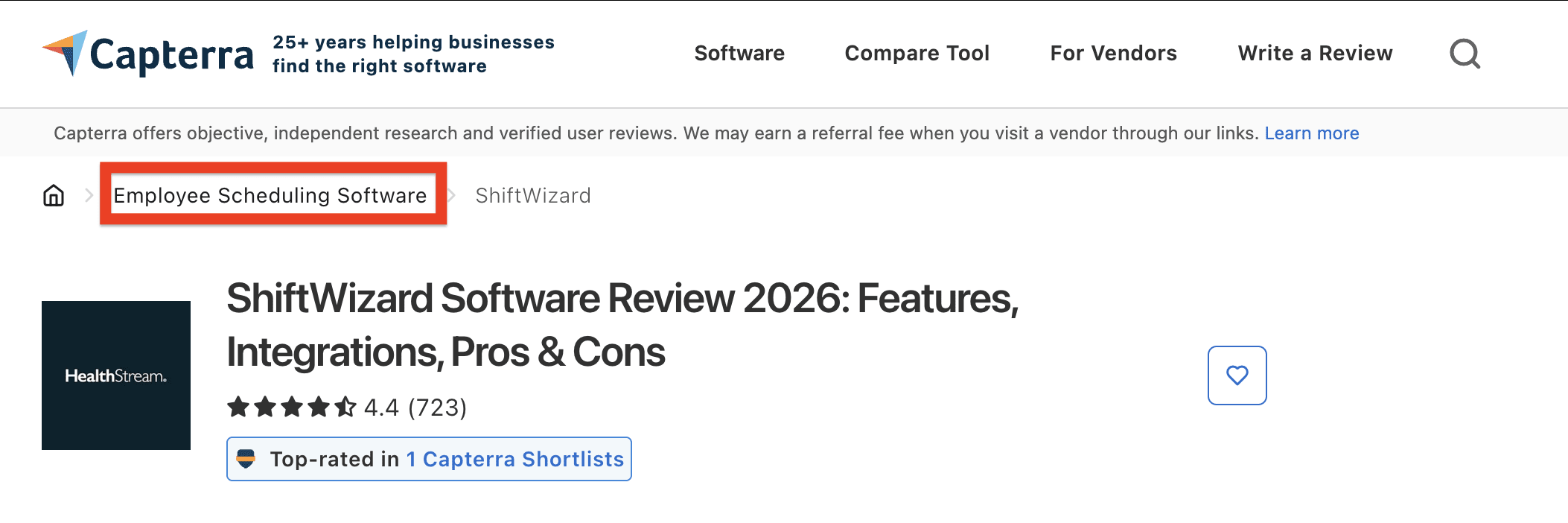
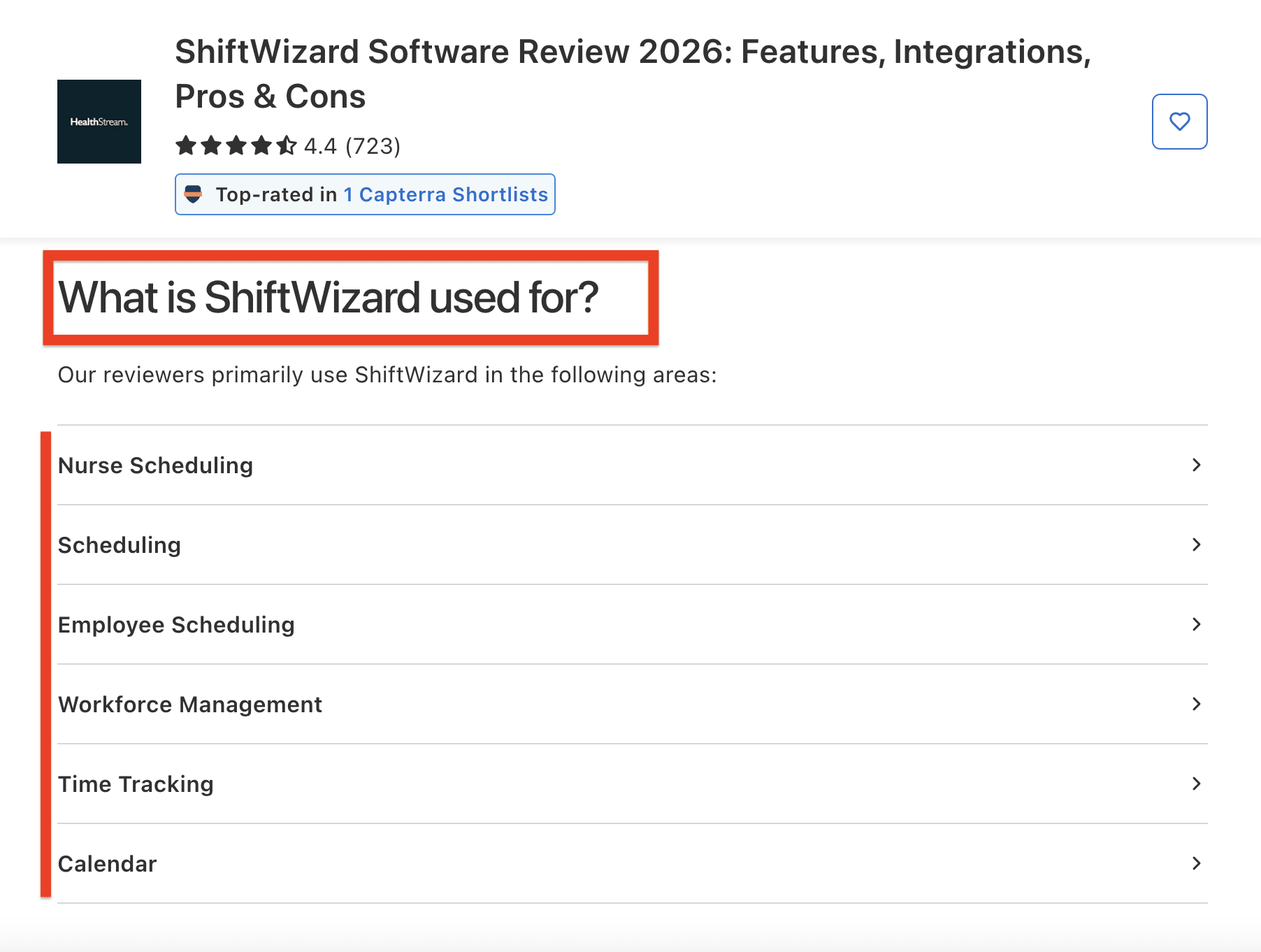
Step 3. Prepare an appeal email
Reply to the rejection email you received or write to:
crm.gdm@gartner.com CC: gdmcatalogteam@gartner.com
Email template:
Dear Catalog Team,

We received a rejection regarding the submission of [Product Name] to Gartner Digital Markets. We believe this may be a mistake.

Our competitors [Company A, Company B, Company C] are listed on Capterra under the categories [Category 1, Category 2].

Here are links to their listings: [links].

[Product Name] offers similar functionality and serves the same use cases.

We kindly request reconsideration for inclusion under the mentioned categories.

Best regards,
[Name]
Step 4. What to expect after you reply
- They usually respond within a couple of days
- They review your submission and your website, so assume nothing is overlooked
Step 5. Understand their requirements
Once they engage, they will explain:
- For which category(es) your product was evaluated
- Which must-have features were considered missing or unclear from your website
- If they can consider you for additional categories where your competitors are listed and what functionalities your product is expected to have in order to fit
The requested features may sound oddly named or outdated. Using ChatGPT here is often helpful just to understand what is required.
Step 6. Pick one category to win
Do not try to qualify for every category where your competitors are present.
You only need one approved category to enter the catalog. Additional categories can be requested later, and the process will be the same.
Step 7. Provide proof
Send one of the following:
- A short screen-recorded walkthrough
- Annotated screenshots
- Links to relevant sections of your website or product documentation
Explain clearly where the required functionality exists and how it works.
Step 8. Ask for the specific category
Be explicit about the category you are requesting.
Step 9. Wait for approval
In our experience, the GDM catalog team works fast. Approvals often arrive within one business day. Best of luck!
Final note
Capterra rejection is rarely a dead end. In most cases, it reflects a taxonomy mismatch combined with missing context.
If you want help managing this process end to end, Blastra works with B2B SaaS companies on directory submissions and ongoing software footprint management.
FAQ
Can I reapply to Capterra after being rejected?
Yes — a rejection is not final. Most successful appeals happen through direct email follow-up with the catalog team at crm.gdm@gartner.com.
Can I suggest multiple categories?
You can, but approval comes faster when you focus on one clear primary category. Additional categories can be requested after initial approval.
How long does the appeal process take?
One to three business days once your appeal includes competitor examples and clear category fit. Responses typically arrive quickly when the appeal is structured properly.
Is Capterra free?
Yes. Capterra offers free listings alongside optional pay-per-click and pay-per-lead advertising models.
Will approval on Capterra list me on GetApp and Software Advice?
Yes. One approval gets you into the shared GDM catalog across all three directories. After approval, focus on collecting reviews and earning badges.
How can Blastra help?
Blastra operates via a done-for-you model — we handle directory submissions and appeals for B2B software companies.
Related Guides
- How to Get G2 and Capterra Reviews — After approval, learn how to collect reviews and meet verification requirements
- How Capterra Badges Work — Complete guide to earning Capterra badges: requirements, deadlines, and optimization strategies
- How G2 Badges Work — G2 badges require paid plans; understand what's free vs paid
- How SourceForge Badges Work — Percentile-based awards for top 5% (Leader) and top 10% (Top Performer)
Get your product listed on Capterra and other top directories
Let Blastra handle directory submissions and appeals for you